Work the day shift.
Ship the night shift.
Backlog in. Verified software out.
Days are for PRDs, epics, and stories. Nights are for production: your agents build autonomously on your machines. Nightgauge is the go/no-go gauge on everything they produce. Nothing ships unmeasured.
- 01 Issue Pickup
- 02 Feature Planning
- 03 Feature Dev
- 04 Feature Validate
- 05 PR Create
- 06 PR Merge
main — zero context loss.A 31-second tour
Six Stages. One Pipeline.
Zero Context Loss.
Each stage runs in isolation with focused context. Clean handoffs between stages — not accumulated conversation history.
Issue Pickup
Claim issues with intelligent priority sorting
Automatically selects the highest-priority issue. Branch created, requirements extracted, environment ready.
Feature Planning
Documentation-first design that reduces overhead
Reads your project documentation before code. Creates a structured plan with phases, file changes, and test strategy. Requires your approval.
Feature Dev
Parallel implementation with automatic quality review
Independent file changes execute in parallel. Security scanning, standards compliance, and tests written alongside code.
Feature Validate
Build verification hard gate + automated testing
Build must pass — no exceptions. Framework-aware test execution, dead code detection, and validation against acceptance criteria.
PR Create
Auto-generated PRs with full traceability
Pre-flight quality checks, auto-generated description with full context, issue linking for automatic closure, and reviewer assignment.
PR Merge
CI auto-fix, review handling, and cleanup
Auto-fixes linter and format issues. Review feedback addressed intelligently. Epic auto-close. Full cleanup on merge.
Guardrails at every layer
Autonomous AI development only works when something keeps it honest. Six deterministic safety layers run alongside every pipeline.
Cascade Circuit Breaker
Pauses on clustered failures — never auto-resumes.
Stage Verification Gates
Trust but verify after every LLM stage, deterministically.
Prompt Injection Firewall
Two-layer input/output validation. Bash escapes blocked.
Failure Taxonomy
Transient infra failures don’t pollute health scores.
Audit Archival
Hash-chained event stream — compliance-ready.
Baseline Detection
Auto-fix only addresses regressions you introduced.
The Same Pipeline, Wherever You Are
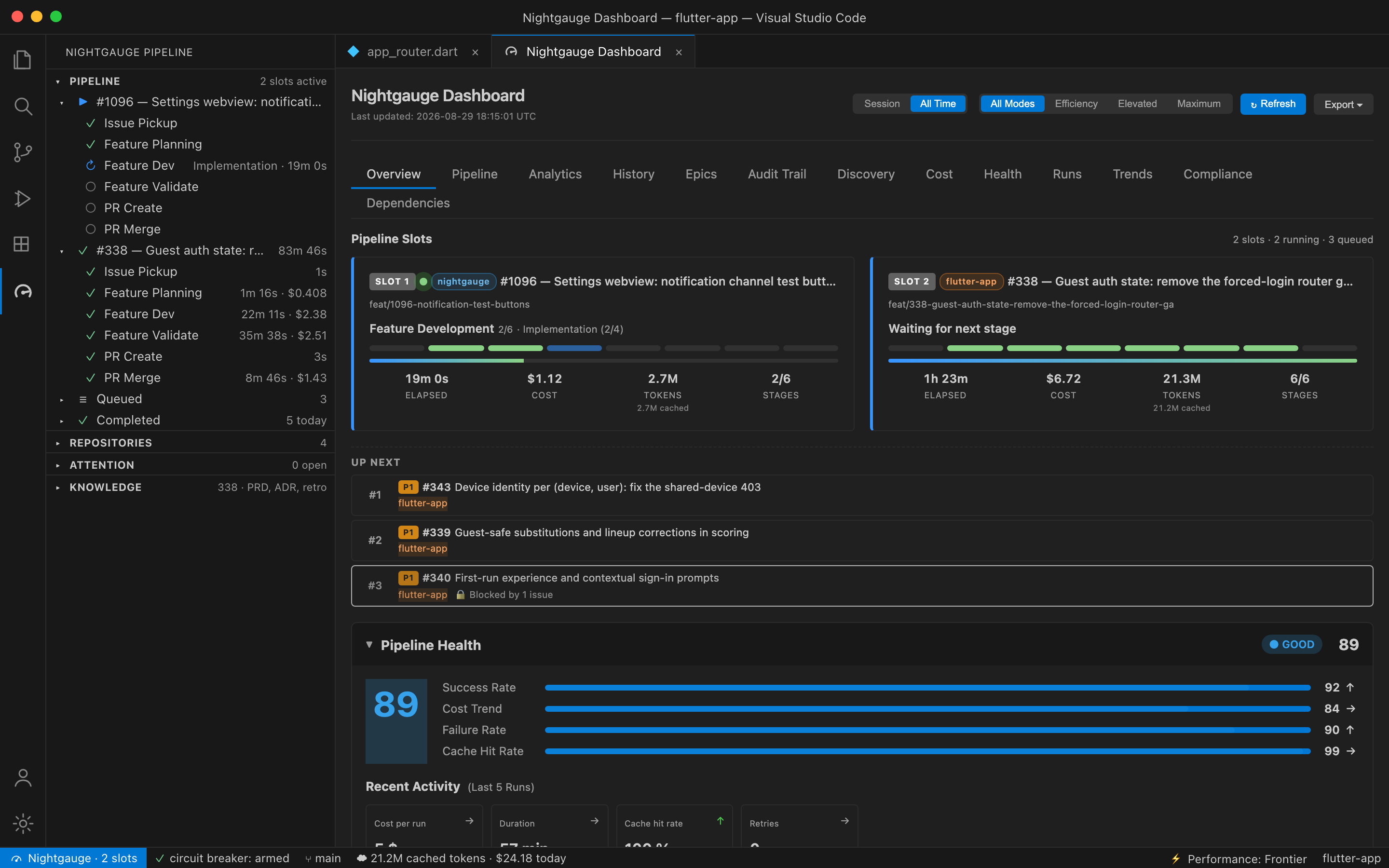
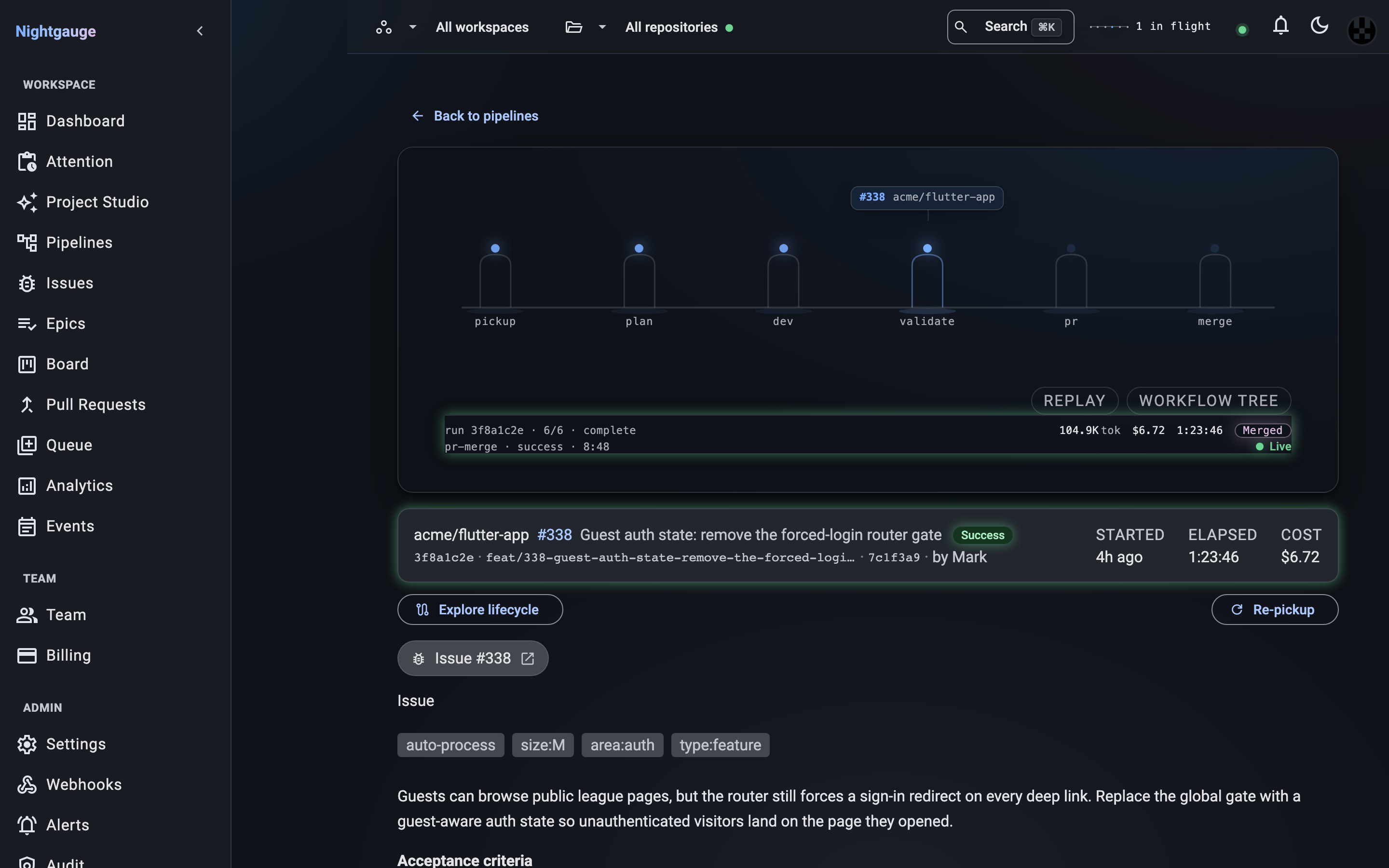
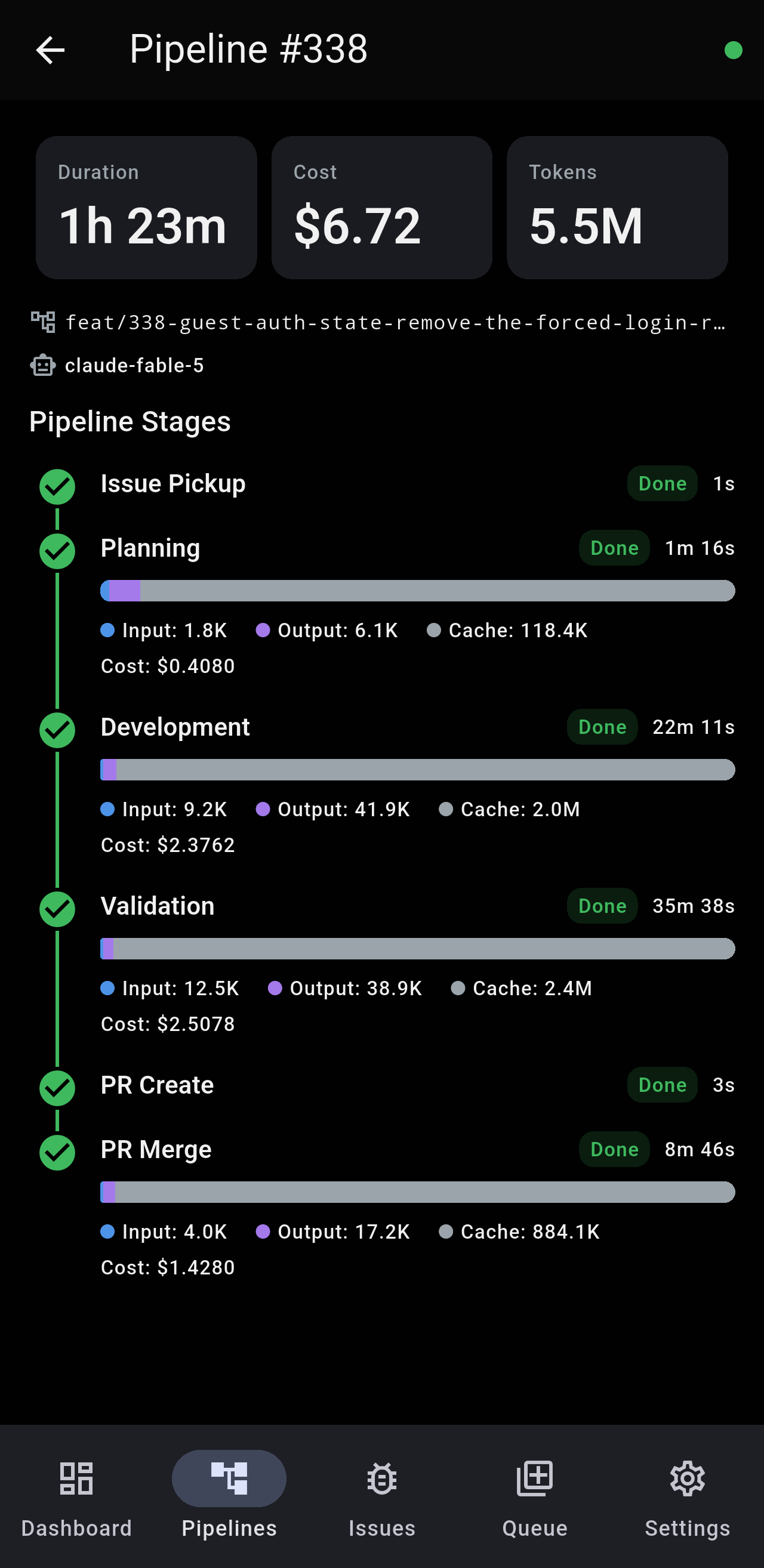
Issue #338 was picked up, planned, built, validated, opened as a PR and merged by the pipeline on 2026-08-29 — $6.72, 83 minutes, six stages. This is what that run looked like in VS Code, in the web dashboard, on a phone, and in Slack and Discord. Every image is generated from the product, not drawn.
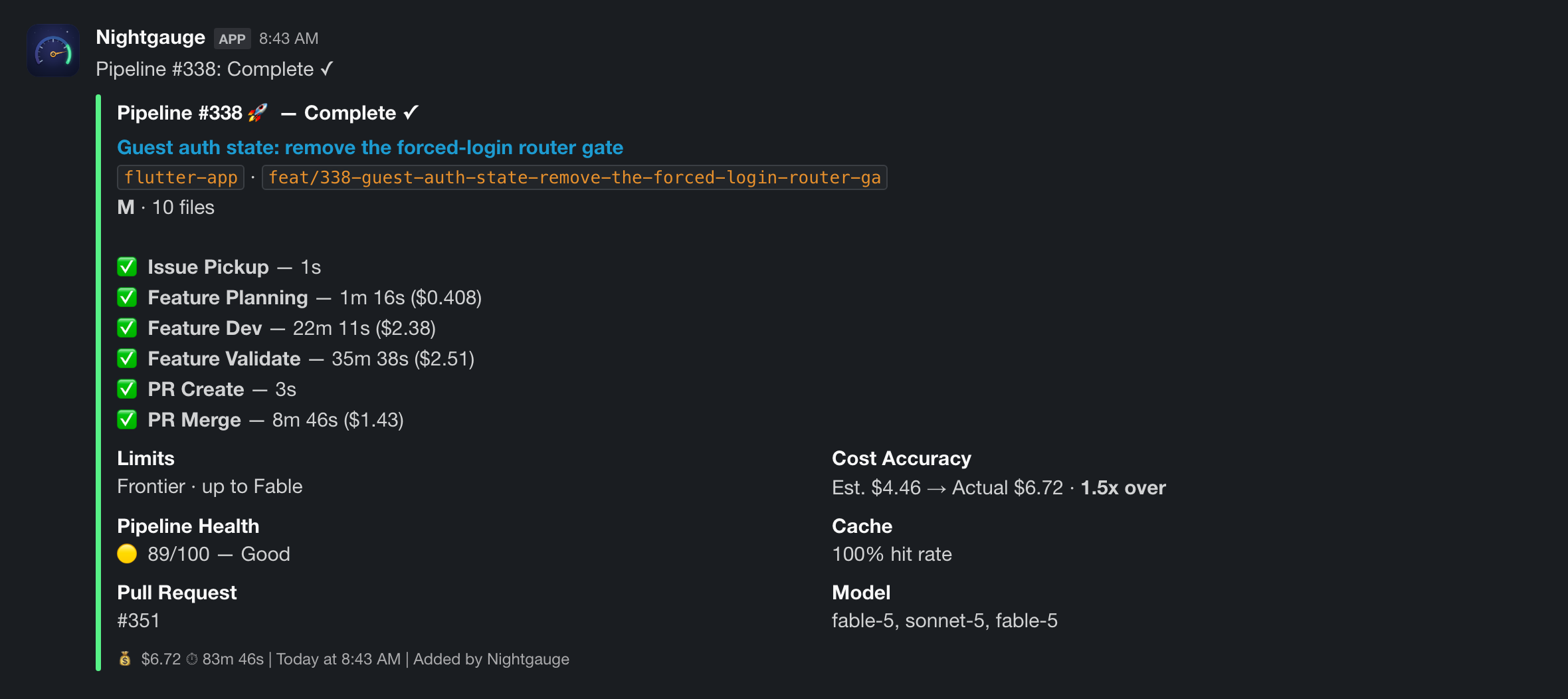
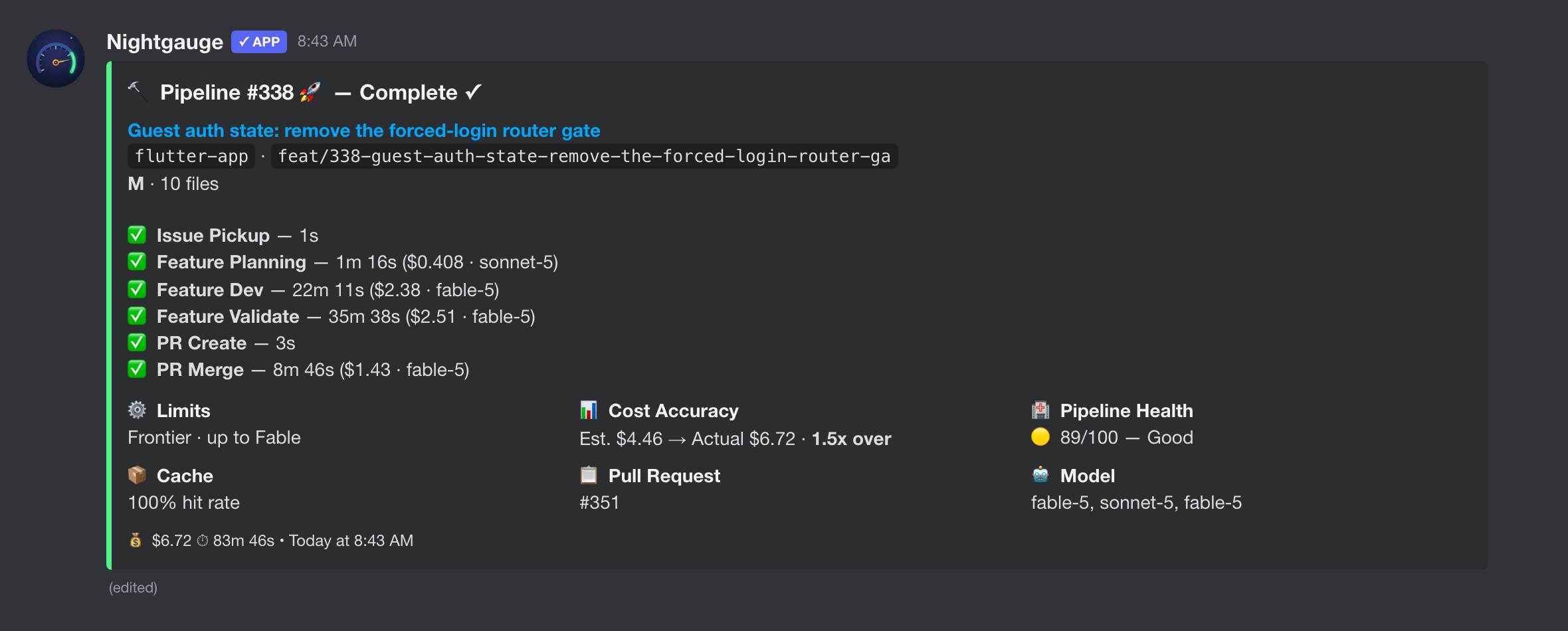
See What You’re Buying
Real surfaces from the Nightgauge VS Code extension — the same panels you live in once the pipeline is running.

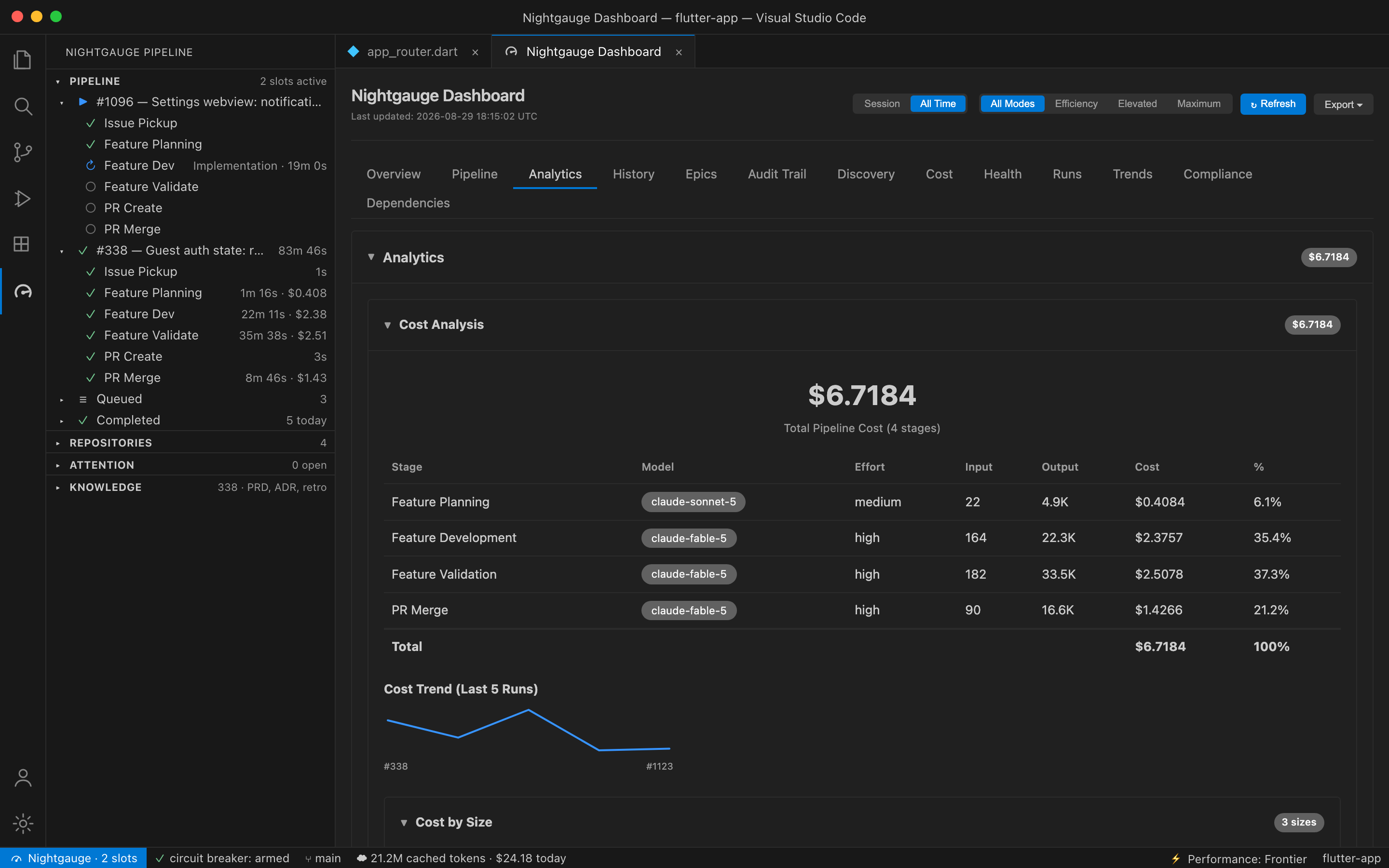
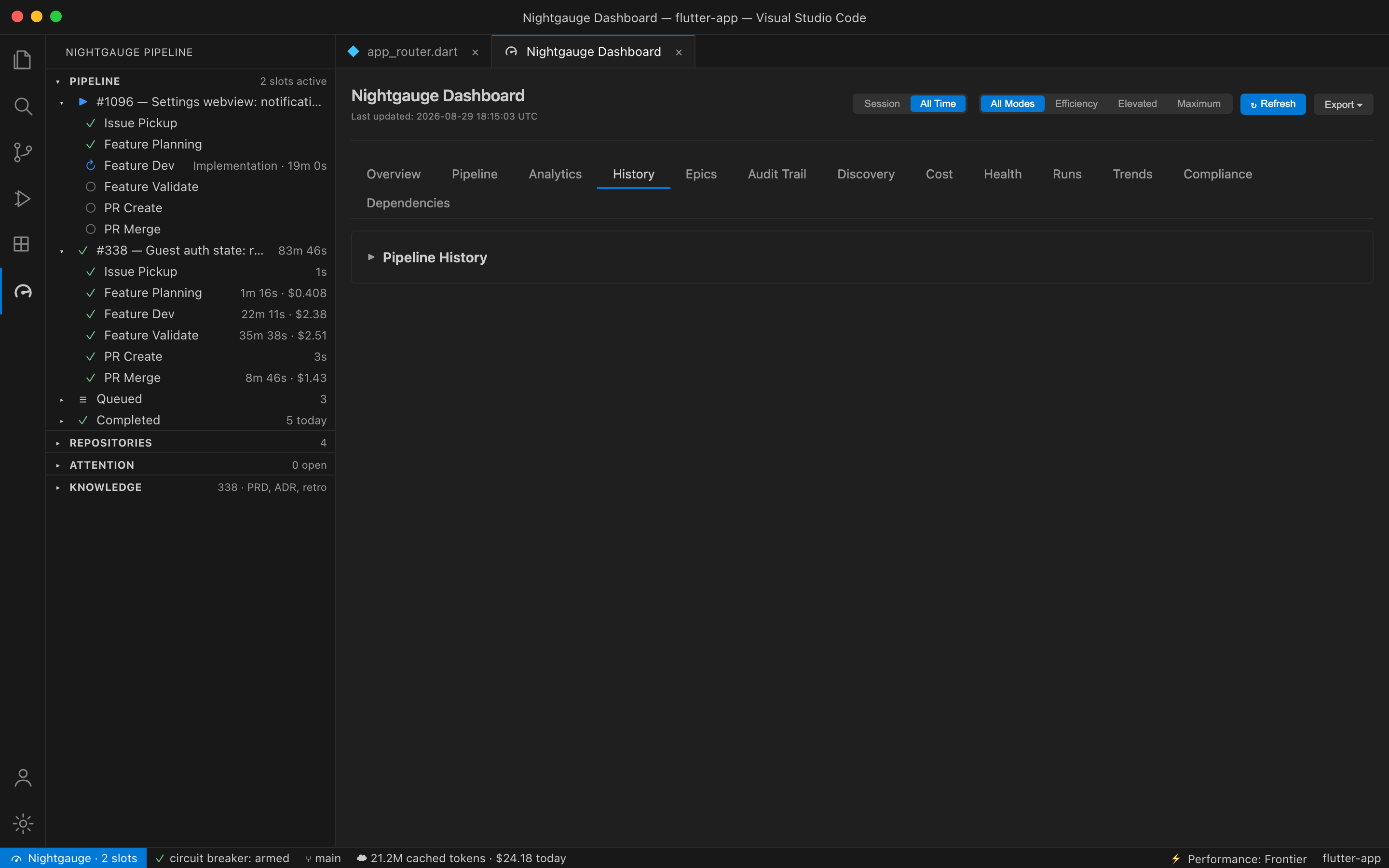
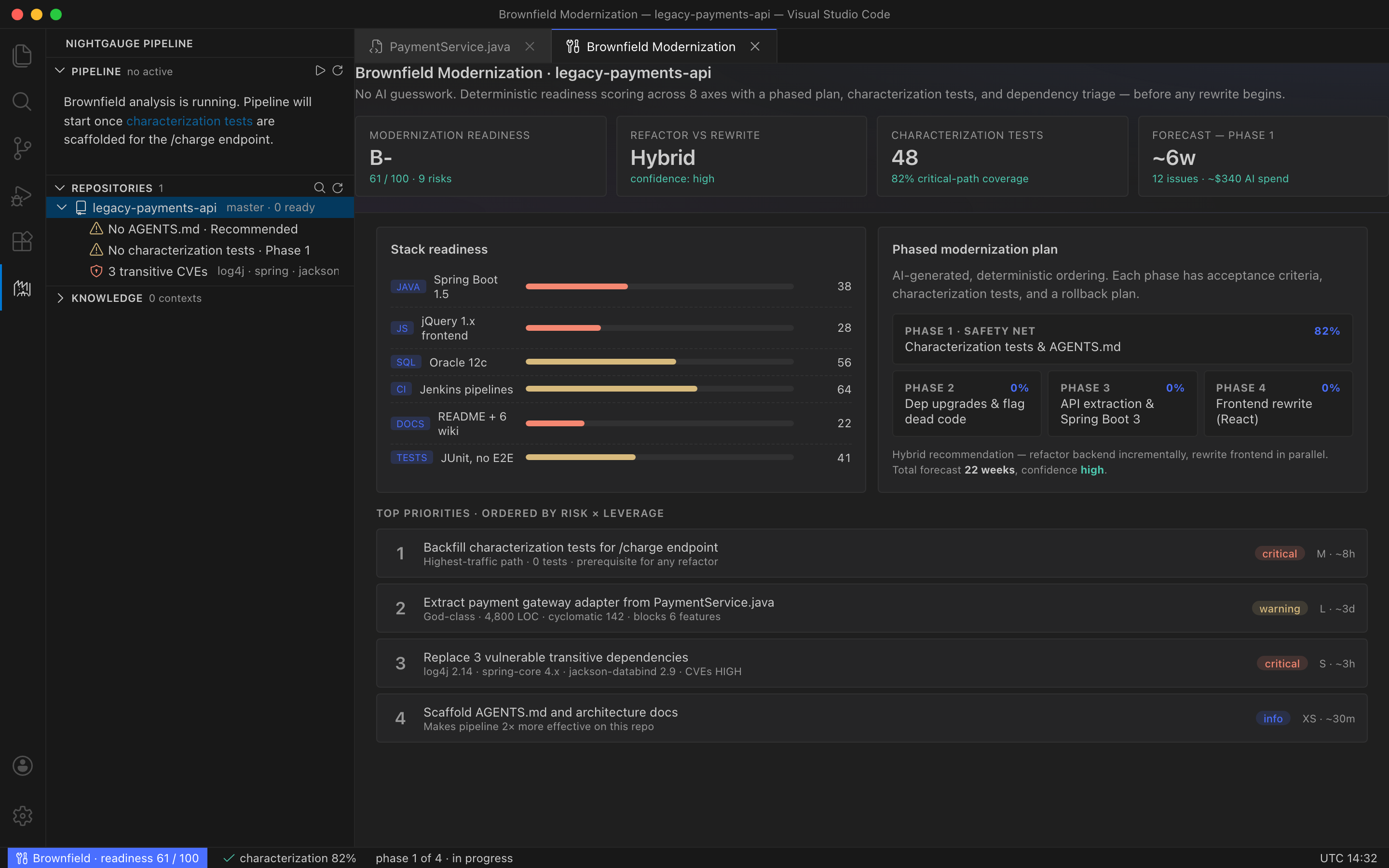
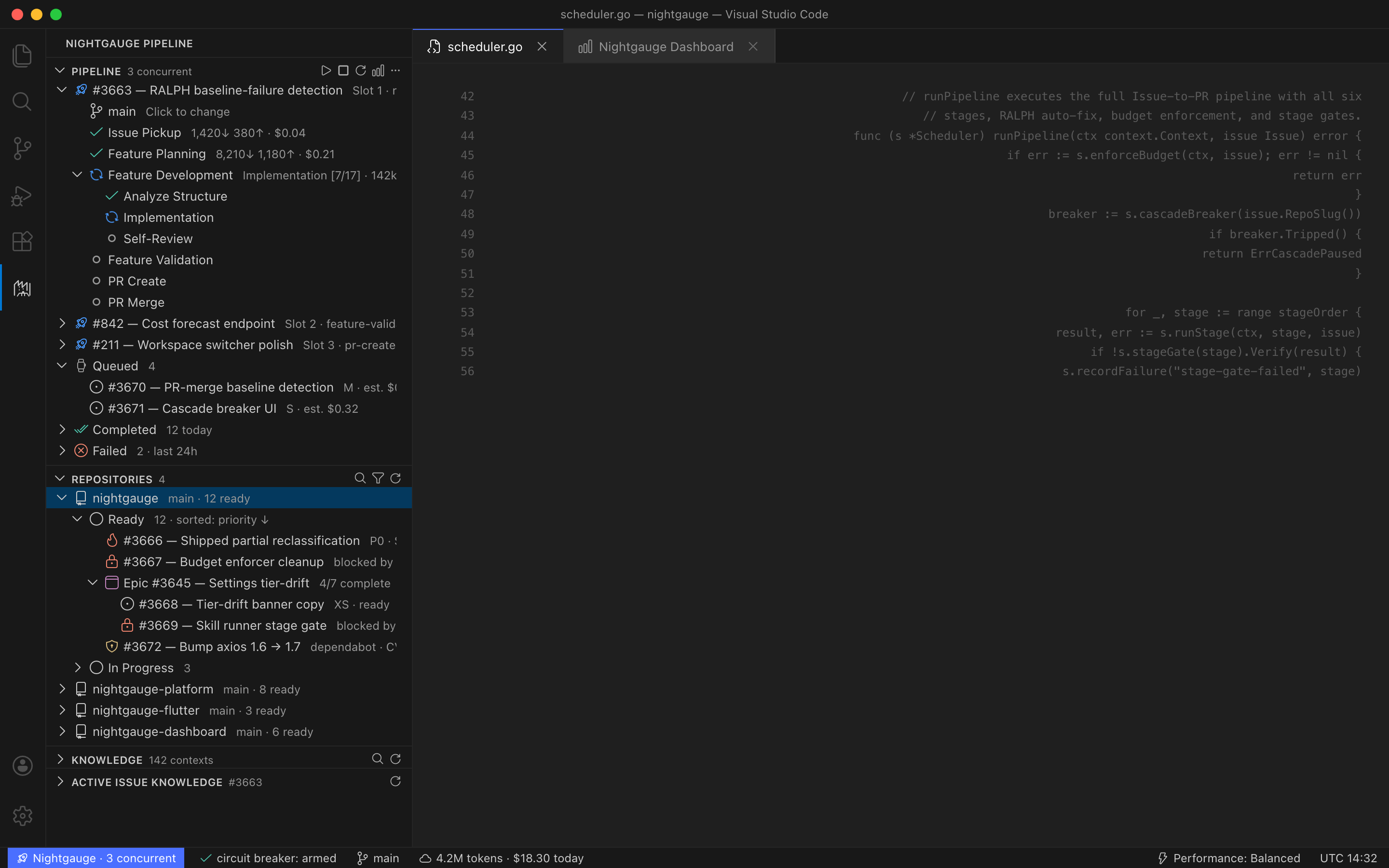
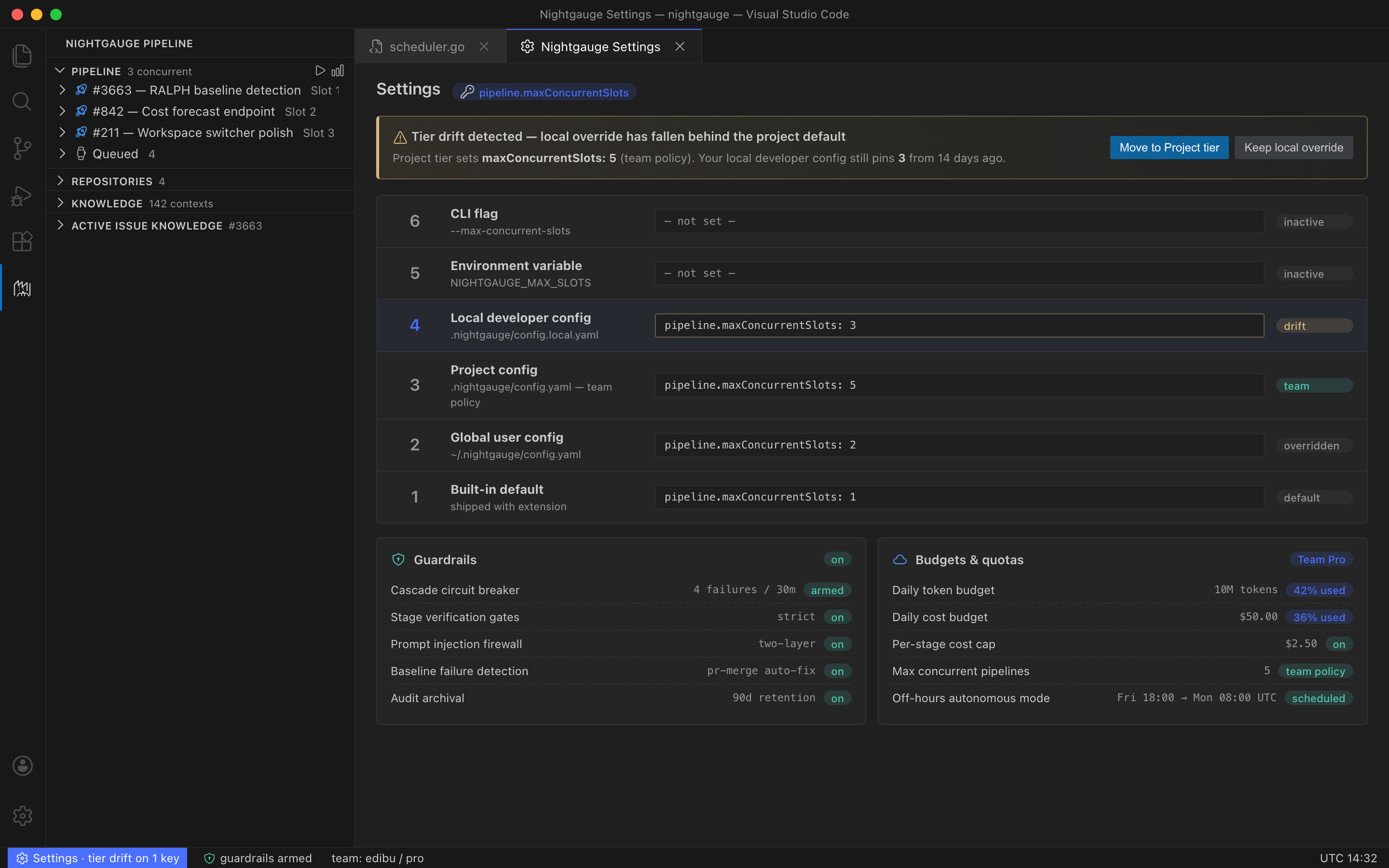
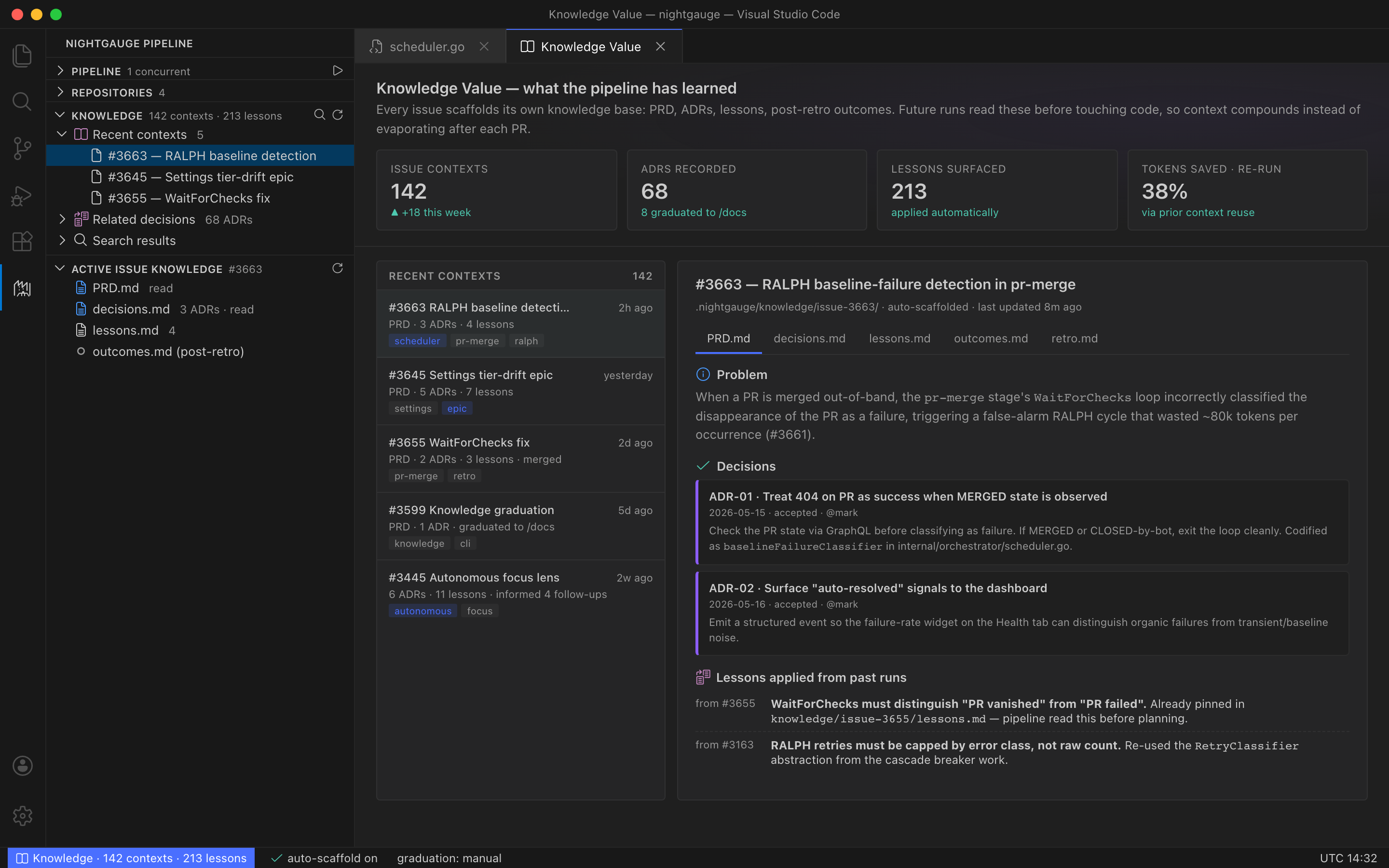
Panels marked rendered from a real run are the extension’s own dashboard code, fed with a pipeline run that completed on 2026-08-29, and are regenerated from source whenever the product changes. Panels marked illustrative mockup mirror the real panel with sample data. Exact appearance varies with your theme, platform and product version.
Built Different
Not just another AI code generator. A complete development lifecycle with enforced standards at every step.
Context Isolation
Each stage runs in isolation with only the context it needs. No drift. No bloat. Complex features complete every time.
Documentation-First
Reads your project documentation before exploring code. Reduces overhead and ensures implementations match your standards.
Enforced Quality Gates
Build verification is a hard gate — not a suggestion. Plan approval required before coding. Acceptance criteria validated before merge.
Portable Skills
Write once, use everywhere. Same pipeline skills work across Claude, Copilot, Codex, Cursor, and Gemini.
Self-Healing Pipeline
Auto-fixes linter errors, format issues, and minor CI failures. Capped retries with automatic escalation to the developer.
Epic & Dependency Tracking
Automatic epic detection, sub-issue routing, dependency checking, and auto-closure when all sub-issues merge.
Your Command Center in VS Code
Everything you need to run the full pipeline, right from your editor. No CLI required.
Using VSCodium, Cursor, Windsurf or Gitpod? Install from Open VSX, their
default registry. Both registries serve the build for your platform.
Prefer a file? Download the per-platform VSIX from
GitHub Releases
and run code --install-extension <file>.vsix.
macOS on Apple Silicon and Intel, and Linux x64, are supported.
One-Click Pipeline
Run the full 6-stage pipeline on any issue with a single click. No terminal, no setup, no context switching.
Visual Progress Tracking
Real-time sidebar showing stage progress, status indicators, and estimated time remaining for each pipeline run.
Batch Overnight Runs
Queue multiple issues and let the pipeline process them sequentially. Start it before you leave — review PRs in the morning.
Token & Cost Monitoring
Track token usage and cost per stage in real time. Set budgets for batch runs and monitor efficiency trends over time.
From Issue to Merged PR
Three steps. Fully automated. You stay in control at every approval gate.
Pick an Issue
Select a GitHub issue or let Nightgauge automatically choose the highest-priority work. Feature branch created. Requirements extracted. Ready to go.
AI Plans, Builds & Tests
Documentation-first planning, parallel implementation, and multi-phase validation — all automated with clean context handoff between stages.
Review & Merge
Auto-generated PR with full context and traceability. CI issues auto-fixed. Reviews categorized. Epic auto-closed on completion.
# Run the full pipeline on issue #42
$ nightgauge run 42

Stage 1/6 — Issue Pickup …
claimed, branch created
Stage 2/6 — Feature Planning
… plan ready for review
Stage 3/6 — Feature Dev …
3 files changed, parallel execution
Stage 4/6 — Validation …
build passed, 12 tests passed
Stage 5/6 — PR Create …
PR #87 opened, closes #42
Stage 6/6 — PR Merge …
merged, branch cleaned upWorks With Your Favorite AI Tools
Portable Agent Skills specification means no vendor lock-in. Start in one tool, continue in another.
Write skills once as portable SKILL.md files. They run everywhere — across Claude, Copilot, Codex, Cursor, and Gemini. Structured JSON context travels with you, so you can switch tools mid-issue without losing progress.
What’s shipping next
A few features are in active development or limited preview. Early- access teams get them as they land.
Autonomous Orchestrator
Hands-free, cross-repo issue selection with dependency-graph aware parallelism, critical-path scheduling, and focus-mode steering. Set it before you log off.
Limited beta · summer 2026GitLab & self-hosted forge
Same pipeline, same skills, on GitLab CE / EE — including self-hosted instances. One forge abstraction, two platforms.
Private previewSlack, Discord & Mattermost chat-ops
One live card per run — stages, cost, cache hit rate, the PR — edited in place as the pipeline moves. Mattermost adds inbound slash commands to drive the queue from chat.
Beta · Slack, Discord & Mattermost notificationsMobile + Web companions
A Flutter mobile app for watching runs from anywhere and a web dashboard for team management, usage and analytics — both on the same platform API the extension reports to.
Beta · web dashboard live, mobile in TestFlight prepLegacy code doesn’t have to stay legacy.
Technical debt. Inherited chaos. Undocumented spaghetti.
Nightgauge scores every brownfield codebase deterministically
— then ships a phased plan with characterization tests and a
rollback path for each phase.
FAQ
The things teams ask before piloting Nightgauge on a real codebase.
How is this different from Cursor, Copilot, or other AI coding tools?
Is Nightgauge open source?
.vsix is also on GitHub Releases. Signed release binaries and the Homebrew cask are on the same releases page. An optional proprietary platform (team analytics, licensing, billing) integrates through public contracts.What does Nightgauge actually run on?
How safe is this to leave running on real code?
What about my codebase staying private?
How much does it cost to run?
Does it work on existing (brownfield) codebases?
What if the AI gets something wrong?
Will it work with GitLab or self-hosted forges?
Who's behind it?
Get Early Access
The extension is on the VS Code Marketplace and Open VSX, with per-platform VSIXs on GitHub Releases today, and the open-source core is on GitHub. Join the waitlist to be first in line for the hosted platform.
Something went wrong sending your signup. Please try again, or email hello@nightgauge.dev.